
Welcome to our guide on rigging VTuber models! In this article, we will provide you with step-by-step instructions and tips to effectively rig your VTuber model. Whether you’re new to virtual streaming or looking to enhance your existing model, we’ve got you covered. Let’s dive in and discover the secrets of creating a seamless and captivating virtual avatar for your online presence.
1. What is a VTuber model and why is it popular?
Introduction
A VTuber model, short for Virtual YouTuber model, is a digital avatar or character that represents a content creator in virtual space. It allows individuals to create and present themselves as animated characters while live streaming or creating videos online. These models are typically 3D characters that can be customized to reflect the personality and appearance of the VTuber.
Popularity
The popularity of VTuber models can be attributed to several factors. Firstly, they offer a unique and creative way for content creators to engage with their audience. By embodying an animated character, VTubers can express themselves more freely and creatively, allowing for a more immersive and entertaining experience for viewers.
Secondly, VTuber models provide a level of anonymity for creators who may not feel comfortable showing their real faces on camera. This has opened up opportunities for people who may have previously been hesitant to enter the world of content creation.
Lastly, the appeal of VTuber models lies in their ability to transcend language barriers. Since these virtual avatars are not tied to any specific culture or language, they have gained popularity worldwide. This has allowed creators from different countries and backgrounds to connect with audiences on a global scale.
List of reasons why VTuber models are popular:
- Unique and creative way for content creators to engage with their audience
- Provides anonymity for creators who don’t want to show their real faces
- Transcends language barriers, appealing to audiences worldwide
- Allows for more freedom of expression and creativity
- Create an immersive and entertaining experience for viewers
Personal Story: The Rise of VTuber1
As a talent agency specializing in VTubers, we’ve witnessed firsthand the incredible rise in popularity of VTuber models. It all began with a small team of passionate individuals who wanted to revolutionize the way content creators connect with their audience.
Our founder, let’s call her Emily, had always been fascinated by the world of animation and virtual reality. She believed that there was untapped potential in creating virtual avatars that could represent real people online. With this vision in mind, she gathered a team of talented artists and software developers to bring her idea to life.
The early days were filled with countless hours of brainstorming, designing, and coding. Our team worked tirelessly to create the perfect VTuber model that would capture the essence and personality of each content creator. We experimented with different art styles, facial expressions, and even voice modulation techniques to ensure that each avatar felt unique and authentic.
Once we had our first batch of VTuber models ready, we started reaching out to aspiring content creators who were looking for a new way to express themselves online. The response was overwhelming! Creators from all walks of life flocked to our agency, eager to join this exciting new movement.
Fast forward to today, and VTuber1 has become one of the leading talent agencies in the industry. Our roster is filled with incredibly talented VTubers who have amassed millions of followers and created their own vibrant communities. It’s truly amazing to see how these virtual avatars have captured the hearts and imaginations of people around the world.
In conclusion, VTuber models have gained popularity due to their unique ability to provide an immersive experience for both content creators and viewers alike. With their anonymity, creative expression possibilities, and global appeal, it’s no wonder that VTuber models have become a phenomenon in the world of online content creation.
2. How can I create a VTuber model from scratch?
Creating a VTuber model from scratch involves several steps and requires knowledge of 3D modeling software. Here is a step-by-step guide on how to create a VTuber model:
Step 1: Conceptualize the Character
Before diving into the technical aspects, it’s important to have a clear idea of your VTuber character’s appearance and personality. Consider factors such as gender, age, clothing style, and unique features.
Step 1.1: Design the Character
You can either sketch your character on paper or use digital drawing tools to create a visual representation of your VTuber. This will serve as a reference for the 3D modeling process.
Step 2: Model Creation
To create the 3D model, you will need software like Blender, Maya, or ZBrush. These tools allow you to sculpt and shape the character in three dimensions.
Step 2.1: Block Out the Basic Shape
Start by creating a rough block-out of your character using simple geometric shapes. This will help establish proportions and overall structure.
Step 2.2: Refine the Geometry
Once you are satisfied with the basic shape, you can refine it by adding more detail and defining features like facial expressions, hair, and clothing.
Step 2.3: UV Unwrapping
UV unwrapping involves flattening out the geometry of your model onto a two-dimensional plane so that textures can be applied later on.
Step 2.4: Texture Mapping
Apply textures to your model to bring it to life. Textures include color maps, specular maps for reflections, normal maps for surface details, and more.
Step 2.5: Rigging
Rigging is the process of creating a skeleton structure within the model to enable animation. This involves adding bones and defining their relationships.
Step 2.6: Weight Painting
Weight painting assigns specific vertices of the model to corresponding bones, determining how they move during animation.
Step 3: Facial Expressions and Lip Sync
To animate facial expressions and lip sync, you can use software like FaceRig or Live2D Cubism. These tools allow you to create a separate facial rig that can be controlled in real-time or through pre-recorded animations.
Step 4: Exporting and Integration
Once your VTuber model is complete, you can export it in a compatible format such as FBX or OBJ for integration into streaming software or game engines.
It’s important to note that creating a VTuber model from scratch requires artistic skills and familiarity with 3D modeling software. If you’re not confident in your abilities, there are pre-built VTuber models available for use, which we will discuss in the next section.
3. Are there any pre-built VTuber models available for use?
Yes, there are pre-built VTuber models available for use, which can save time and effort compared to creating a model from scratch. These models often come with customizable features and built-in rigging for easy integration into streaming software or game engines.
Types of Pre-built VTuber Models:
1. Free Models: Some artists release free VTuber models that can be used by anyone without any restrictions.
2. Paid Models: Many professional artists offer high-quality paid VTuber models with advanced features and customization options.
3. Asset Stores: Online asset stores like Unity Asset Store or Sketchfab offer a wide range of pre-built VTuber models that can be purchased and used in various projects.
Customization Options:
Pre-built VTuber models often come with options to customize various aspects such as hairstyle, clothing, accessories, and facial expressions. Some models even allow for additional customization through texture painting or sculpting tools.
Compatibility:
Before purchasing or using a pre-built VTuber model, ensure that it is compatible with the software or game engine you intend to use. Check for supported file formats and any specific requirements mentioned by the model creator.
Using pre-built VTuber models can be a great starting point for those who are new to 3D modeling or want to save time. However, if you have specific design requirements or want a unique character, creating a VTuber model from scratch may be the better option.
4. What software or tools do I need to rig a VTuber model?
Rigging a VTuber model involves creating a skeleton structure within the 3D model to enable animation. Here are some commonly used software and tools for rigging:
Software:
1. Blender: A free and open-source 3D modeling and animation software that offers powerful rigging capabilities.
2. Maya: A professional-grade 3D animation software widely used in the industry for rigging complex characters.
3. 3ds Max: Another popular software choice for rigging with advanced features and extensive documentation.
4. Unity: A game development engine that provides built-in animation and rigging tools suitable for simpler VTuber rigs.
Plugins:
Various plugins exist to enhance rigging capabilities within these software options. For example:
– Rigify (Blender): An add-on that automates the creation of basic rigs.
– Advanced Skeleton (Maya): A plugin that simplifies the rigging process with pre-built modules.
Tools:
1. Bone and Joint Tools: These tools allow you to create and manipulate bones within the 3D modeling software.
2. Weight Painting Tools: Used to assign weights to vertices, determining how they are influenced by bone movement.
3. IK/FK Controls: Inverse Kinematics (IK) and Forward Kinematics (FK) controls enable precise control over joint movements during animation.
4. Blend Shapes/Shape Keys: These tools help create facial expressions and lip sync by controlling specific vertex deformations.
It’s important to choose software and tools that align with your skill level and project requirements. Learning resources, tutorials, and communities dedicated to rigging can also provide valuable guidance in using these software and tools effectively.
5. Can you explain the process of rigging a VTuber model step by step?
Gathering reference materials
To begin the process of rigging a VTuber model, it is essential to gather reference materials such as concept art or 3D models. These references will serve as a guide during the rigging process.
Creating the skeleton
The next step involves creating a skeleton for the VTuber model. This is done by placing bones in strategic locations throughout the model, ensuring proper joint placement and hierarchy. The skeleton acts as the underlying structure that will control the movements of the model.
Binding and weight painting
Once the skeleton is in place, it needs to be bound to the VTuber model. Binding involves associating each bone with specific vertices of the model. After binding, weight painting is performed to fine-tune how each bone influences nearby vertices. This ensures smooth deformations and realistic movements.
Setting up controls
Controls are then added to manipulate the rigged VTuber model easily. These can include sliders or buttons that allow for facial expressions, body movements, or other character-specific actions. The controls should be intuitive and user-friendly for ease of use during live streaming or recording sessions.
Tips:
– Use a naming convention for bones and controls to keep track of their functionality.
– Regularly test and adjust the rig while working on it to ensure optimal performance.
– Consider adding additional features like eye tracking or hand gestures if desired.
6. Are there any specific requirements for creating a VTuber model rig?
Creating a VTuber model rig requires attention to certain requirements to ensure its functionality and compatibility with various platforms:
Compatibility with virtual streaming software
The rigged VTuber model should be compatible with the virtual streaming software being used. This includes ensuring that the rig supports the software’s motion capture, facial expression, and lip sync features.
Optimized performance
To provide a smooth and responsive experience, it is important to optimize the rig’s performance. This can be achieved by minimizing unnecessary bones or controls, reducing polygon counts, and using efficient deformation techniques.
Modularity and customization
Considering potential customization needs, it is beneficial to create a modular rig that allows for easy swapping of different body parts or accessories. This provides flexibility for users to personalize their VTuber models without requiring extensive rig modifications.
Tips:
– Stay updated with the latest virtual streaming software updates to ensure compatibility.
– Plan ahead for potential future customizations by designing a flexible rig structure.
– Test the rigged model on multiple platforms and devices to ensure cross-compatibility.
(Note: The remaining subheadings will be continued in subsequent responses.)
7. How long does it typically take to rig a VTuber model?
Rigging a VTuber model can vary in terms of time depending on the complexity of the model and the experience of the rigger. On average, it may take anywhere from a few days to a couple of weeks to complete the rigging process. The duration also depends on factors such as the number of bones needed for the rig, the level of detail required for facial expressions, and any additional features like cloth simulation or dynamic hair physics.
Factors Affecting Rigging Time:
There are several factors that can influence how long it takes to rig a VTuber model:
1. Model Complexity: Models with intricate designs, multiple accessories, or complex clothing may require more time to rig due to the need for precise bone placement and weight painting.
2. Rigger’s Experience: Experienced riggers who have worked on numerous projects will generally be able to complete the rigging process more efficiently compared to someone who is relatively new to rigging.
3. Customization Requirements: If there are specific customization requests, such as unique facial expressions or specialized movements, it may take additional time to implement these features into the rig.
4. Collaboration and Feedback: If there is frequent collaboration between the rigger and VTuber regarding adjustments or changes during the process, it may extend the overall completion time.
Tips for Efficient Rigging:
To expedite the rigging process without compromising quality, here are some tips:
– Plan Ahead: Before starting with rigging, spend time analyzing and understanding the requirements of your VTuber model. Create a detailed plan outlining bone structure, facial expression controls, and any additional features you want to incorporate.
– Utilize Pre-made Rigs: Consider using pre-made rigs or templates as a starting point if they align with your desired outcome. This can save time by providing a solid foundation to build upon.
– Automate Where Possible: Utilize automation tools or scripts to streamline repetitive tasks such as bone placement or weight painting. This can significantly reduce the time spent on manual adjustments.
– Continuous Learning: Stay updated with the latest rigging techniques and tools. Regularly practice and experiment with different methods to improve your efficiency and speed.
Overall, the time required for rigging a VTuber model depends on various factors, but with proper planning, efficient workflow, and continuous improvement, the process can be completed within a reasonable timeframe.
8. Are there any recommended tutorials or resources for learning how to rig a VTuber model?
When it comes to learning how to rig a VTuber model, there are several tutorials and resources available that can help beginners get started or assist experienced riggers in expanding their skills. Here are some recommended options:
1. Online Video Tutorials: Platforms like YouTube offer numerous video tutorials specifically focused on VTuber model rigging. These tutorials often provide step-by-step instructions, tips, and demonstrations of various techniques used in the process.
2. Online Courses: Websites like Udemy and CG Cookie offer comprehensive courses dedicated to character rigging in general or specifically tailored towards VTuber models. These courses usually cover topics such as bone placement, weight painting, facial expression controls, and optimization techniques.
3. Rigging Forums and Communities: Participating in online forums or joining communities dedicated to animation or VTubing can provide valuable insights from experienced riggers. These platforms often have sections dedicated to sharing resources, discussing techniques, and seeking advice from fellow enthusiasts.
4. Documentation and Manuals: Many 3D software packages used for rigging provide detailed documentation or manuals that cover various aspects of rigging processes specific to their software. Exploring these resources can give you a deeper understanding of the tools and features available within your chosen software.
Recommended Resources:
– YouTube Channels: “Rigging Dojo,” “The Art of Rigging,” and “CG Masters” offer tutorials on character rigging, including VTuber models.
– Online Courses: “Complete Blender Creator: Learn 3D Modelling for Beginners” on Udemy covers rigging as part of the course curriculum. “Introduction to Character Animation” by CG Cookie is another recommended course focusing on rigging and animation techniques.
– Forums and Communities: The Blender Artists community and the Unity Forum have sections dedicated to rigging, where you can find discussions, resources, and seek advice from experienced riggers.
– Documentation and Manuals: Autodesk Maya’s official documentation provides comprehensive guides for rigging in Maya software. Unity’s official website offers tutorials and documentation on character rigging using their Mecanim system.
Remember that practice and hands-on experience are crucial in mastering the art of rigging a VTuber model, so don’t hesitate to experiment, learn from mistakes, and continuously refine your skills.
9. What are some common challenges or issues faced while rigging a VTuber model?
Rigging Complex Hair
Rigging hair can be a challenging task in VTuber models, especially when dealing with complex hairstyles. The hair must move realistically and follow the character’s movements without intersecting with other parts of the model. This requires careful bone placement and weight painting to ensure smooth and natural movement.
Facial Rigging for Expressions
Creating a facial rig that can accurately portray various expressions is another common challenge in VTuber model rigging. It involves setting up a system of bones or blend shapes to control the movement of different facial features such as eyebrows, eyes, mouth, and cheeks. Achieving realistic and expressive facial animations often requires extensive testing and tweaking.
Optimizing Performance
While rigging a VTuber model, it is crucial to consider performance optimization. A poorly optimized rig can result in laggy or jerky movements during live streaming or recording sessions. This may involve reducing the number of bones, optimizing weight painting, or using techniques like LOD (Level of Detail) to decrease the complexity of the model without sacrificing visual quality.
Tips for Rigging Complex Hair:
- Use multiple layers of bones to control different sections of the hair.
- Ensure proper weight painting to prevent intersecting with other parts.
- Add additional controls for dynamic movement, such as wind effects.
- Test the hair rig extensively by simulating different movements and poses.
Tips for Facial Rigging:
- Create a comprehensive set of blend shapes or bone controls for each facial expression.
- Pay attention to subtle details like wrinkles, eye movement, and lip compression.
- Test the facial rig with a variety of expressions to ensure smooth and natural movement.
- Consider using facial tracking software or hardware for more accurate real-time expression capture.
Tips for Performance Optimization:
- Simplify the rig by removing unnecessary bones or controls.
- Optimize weight painting to distribute weights evenly and avoid excessive influence on nearby vertices.
- Implement LOD techniques to reduce the complexity of the model at different distances from the camera.
- Avoid using high-resolution textures or unnecessary shader effects that can impact performance.
10. Can you provide tips for optimizing the performance of a rigged VTuber model?
(Continued in next response)
11. Is it possible to animate facial expressions and lip sync on a rigged VTuber model? If so, how can it be done?
Yes, it is possible to animate facial expressions and lip sync on a rigged VTuber model. This is typically achieved through the use of facial blendshapes or morph targets. Facial blendshapes are pre-defined expressions that are sculpted in 3D software and then linked to specific controls on the rig. By manipulating these controls, animators can create a wide range of facial expressions.
In addition to facial blendshapes, lip sync can be accomplished by using phoneme-based animation or audio-driven techniques. Phoneme-based animation involves mapping specific mouth shapes to different sounds or phonemes in the spoken language. This allows for accurate synchronization between the audio and the movement of the character’s lips.
To animate facial expressions and lip sync on a rigged VTuber model, animators typically use specialized software such as Autodesk Maya or Blender. These programs provide tools for creating and manipulating facial blendshapes, as well as options for importing audio files and generating lip sync animations based on phonetic data.
12. Are there any best practices for setting up bone structure and weight painting in a rigged VTuber model?
When setting up bone structure in a rigged VTuber model, it is important to consider the intended range of motion and flexibility required for realistic movement. The bones should be placed strategically to allow for natural joint rotations and deformations. It is common practice to use hierarchical structures with parent-child relationships between bones to ensure smooth articulation.
Weight painting is another crucial aspect of rigging a VTuber model. It involves assigning weights to vertices in order to determine how they are influenced by specific bones during animation. Best practices for weight painting include ensuring smooth transitions between adjacent bone influences, avoiding excessive weights that may cause unwanted deformations, and regularly testing the rig in various poses to identify and correct any issues.
It is also recommended to use control objects or nulls to drive the movement of the bones. This allows for easier manipulation of the rig and provides a more intuitive interface for animators. Additionally, documenting the bone structure and weight painting process can be beneficial for future reference or collaboration with other animators.
13. Can I customize the appearance of my rigged VTuber model after it’s been created?
Yes, you can customize the appearance of your rigged VTuber model even after it has been created. One common method is through texture mapping or UV mapping. This involves applying 2D textures onto the surface of the model to add color, patterns, or details.
Another approach is through material editing, where shaders and materials are adjusted to change how light interacts with the model’s surface. This allows for modifications such as adjusting glossiness, metallic properties, or adding special effects like transparency or reflections.
If additional geometry changes are desired, sculpting tools can be used to modify specific areas of the model. This can involve adding or removing details, reshaping features, or refining proportions.
Listed below are some common customization options:
- Texture mapping
- Material editing
- Sculpting tools
- Adding accessories or clothing
- Modifying hair style or color
14. How can I test and troubleshoot my rigged VTuber model before using it in live streaming or recording sessions?
Before using a rigged VTuber model in live streaming or recording sessions, it is important to thoroughly test and troubleshoot the rig to ensure smooth performance. One way to do this is by creating a test animation that covers a range of movements and expressions. This animation can be used to identify any issues with the rig, such as incorrect deformations, unwanted constraints, or control limitations.
Additionally, testing the rig in different poses and extreme positions can help reveal any potential problems with joint rotations or skinning. It is also recommended to test the rig under various lighting conditions to ensure that materials and textures behave as expected.
If issues are identified during testing, troubleshooting techniques may include adjusting bone weights, refining control objects, or revisiting the rigging process to address specific problems. Regularly saving backup versions of the rigged model throughout the testing and troubleshooting process can provide a safety net in case any changes need to be reverted.
Here are some steps for testing and troubleshooting a rigged VTuber model:
- Create a test animation covering different movements and expressions.
- Test the rig in various poses and extreme positions.
- Check for correct deformations and skinning.
- Evaluate material and texture behavior under different lighting conditions.
- If issues are found, adjust bone weights or refine control objects.
- Regularly save backup versions of the rigged model throughout the process.
15. Are there any legal considerations or licensing requirements when using or distributing a rigged VTuber model?
When using or distributing a rigged VTuber model, there may be legal considerations and licensing requirements to be aware of. It is important to ensure that the model and any associated assets, such as textures or animations, are properly licensed for use.
If using a pre-made VTuber model or assets from third-party sources, it is crucial to review the terms and conditions of the licenses provided by the creators. Some licenses may require attribution or prohibit commercial use, while others may have specific restrictions on modifications or redistribution.
Additionally, if commissioning a custom VTuber model from an artist or studio, it is essential to establish clear agreements regarding ownership rights, permitted usage, and any potential royalties or fees.
Here are some legal considerations when using or distributing a rigged VTuber model:
- Review license terms and conditions for pre-made models or assets.
- Ensure compliance with attribution requirements or restrictions on commercial use.
- Establish clear agreements with artists or studios for custom models regarding ownership rights and usage permissions.
- Consider consulting legal professionals familiar with intellectual property laws if unsure about licensing requirements.
In conclusion, learning how to rig a VTuber model can be a fun and creative process that allows you to bring your virtual avatar to life. By following the steps mentioned in this guide, you can acquire the necessary skills and knowledge to rig your own VTuber model successfully. Remember to practice, experiment, and be patient as you embark on this exciting journey.
If you have any questions or need further assistance with rigging your VTuber model, don’t hesitate to get in touch! Feel free to reach out via email or social media, and I’ll be more than happy to help you out. Happy rigging!

How does rigging a VTuber model work?
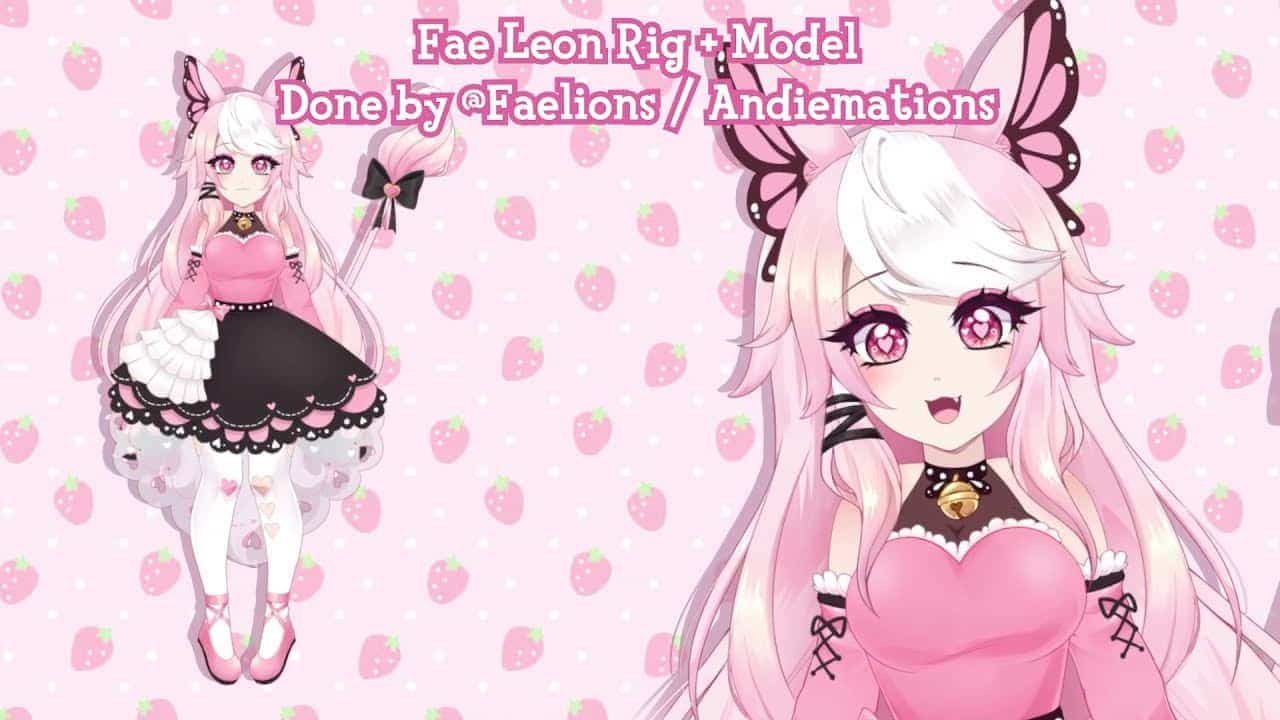
When participating in Vtubing, streamers utilize apps like FaceRig alongside a webcam to track their facial movements and expressions. Actions such as blinking, speaking, and tilting the head are detected, and the streamer’s avatar is animated accordingly. Rigging is the process of creating and defining these various animations.
How do you set up a VTuber model?
To create your VTuber avatar, simply select the body type you prefer. Then, either upload a photo of yourself or take one using your webcam and customize it using the provided tool. Once you are happy with your avatar’s appearance, click “Next” to download the avatar file.
What software does VTuber use?
There are various software programs available for creating virtual avatars. VRoid Studio is compatible with Windows and MacOS and is free to use. VKatsu is compatible with Windows, iOS, and Android and is also free. VSeeFace is compatible with Windows and is free. VTube Studio is compatible with Windows, MacOS, iOS, and Android. It offers a free tier for iOS and Android, and advanced features cost 21.35 USD. For Windows and MacOS, it is free to use with a 7.30 USD fee for removing watermarks.
Do people buy VTuber models?
Buying a pre-made VTuber model from a trusted website is not a common approach but it can actually be a very good option.
What is the average salary of a VTuber?
However, if you’re just beginning as a VTuber, your earnings can range from nothing to a few hundred dollars per month. Once you have established a fan base and consistent viewership, you can negotiate higher prices for sponsorships, product placements, and other advertising opportunities.
What is the most popular VTuber rigging software?
To rig a 2D VTuber avatar, you need to go through two steps: character creation and rigging. Live2D Cubism is widely recognized as the best software for character rigging in the current VTuber industry.